Product Details and My Pantry
A redesigned product details screen with clearer findings and data freshness, plus a full My Pantry experience for saving, sorting, and reopening products offline.
Features built this month
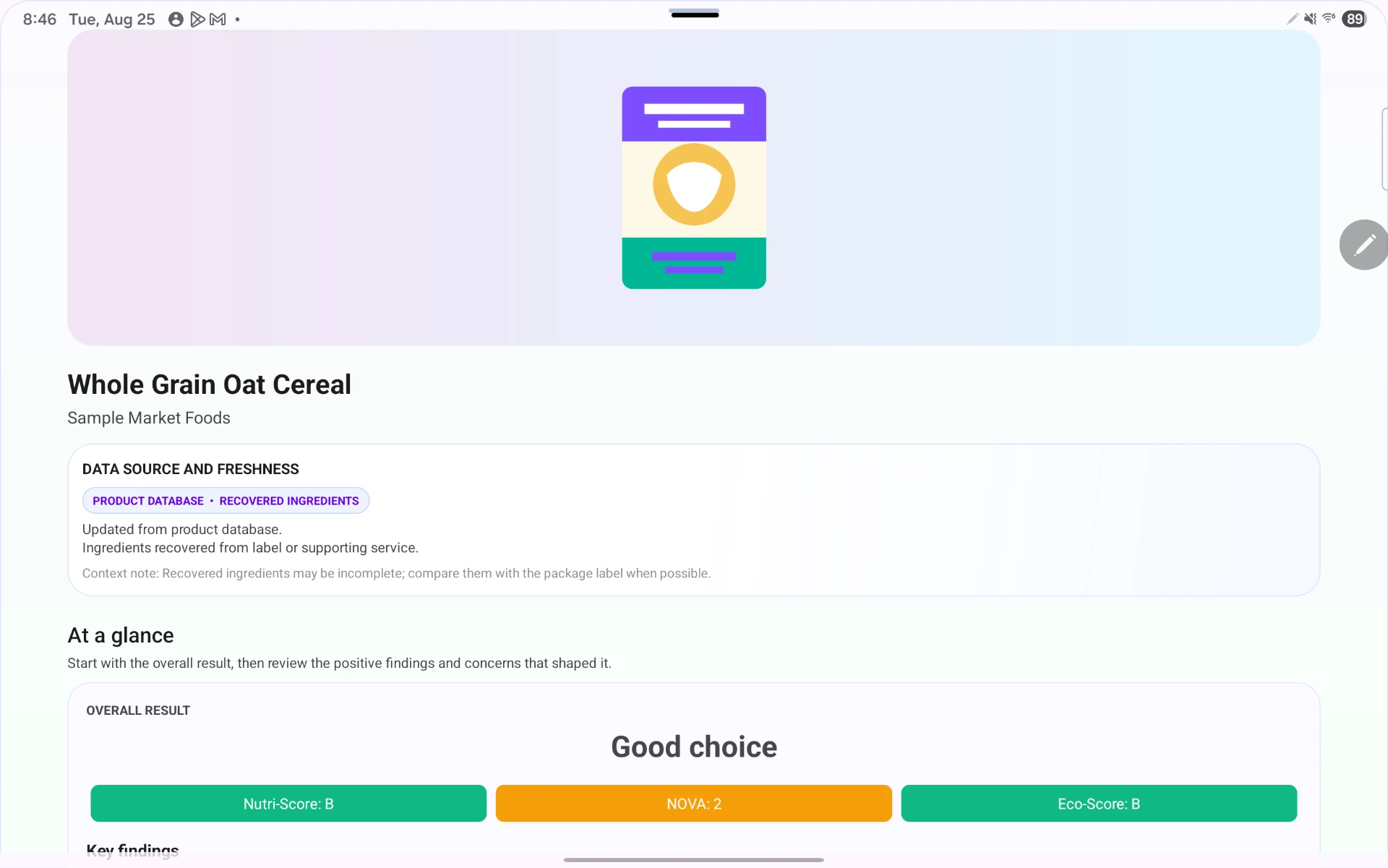
Milestone 4 focused on the product details screen and on turning My Pantry into a complete experience. I rebuilt the details screen layout so it reads well on both phones and tablets, and grouped every finding into positive, warning, and informational sections instead of one undifferentiated list.
The screen now also states where the data came from and how fresh it is — current, recovered, cached, or offline — and each scientific source carries a quality estimate so users can judge how strong the supporting evidence is.
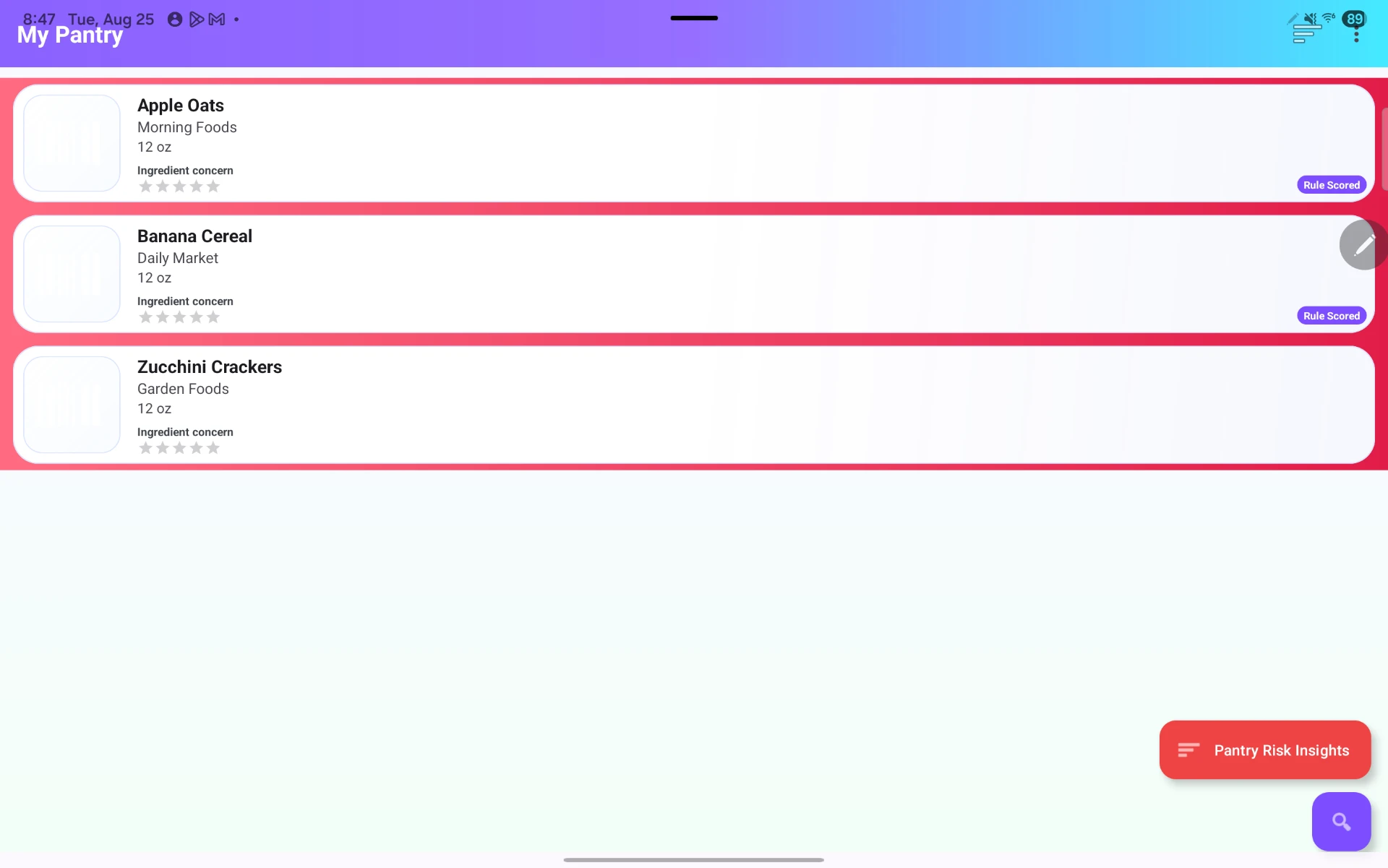
My Pantry was expanded so products can be added straight from the details screen, removed when no longer wanted, and reopened without rescanning. Sorting supports recently saved, product name, and health score. Persistence is backed by Room, so saved products survive an app restart and stay readable offline.
I also reworked product refresh logic: a refresh now merges remote data into the local record instead of replacing it, so pantry membership, saved explanations, health results, and other local state are preserved.
Tools and resources: Android Studio, Jetpack Compose, Room, Kotlin coroutines and Flow for reactive pantry updates, and Material 3 adaptive layout guidance for the tablet breakpoints.
Challenges
The refresh bug was the hardest part of the month: overwriting the cached row silently wiped pantry membership and saved AI explanations. Diagnosing it meant tracing the write path through the repository layer before switching to a field-level merge.
Fitting data-source, freshness, and source-quality signals onto one screen without overwhelming it also took several layout passes.
Retrospective
What went right: the pantry finally feels like a real feature rather than a scan history, and grouping findings made the details screen far easier to scan visually.
What went wrong: the refresh data-loss bug shipped into my own testing build and cost several days, which is time I had planned for study preparation.
How I will improve: I am adding Room persistence tests around merge and refresh behavior so silent data loss is caught by the test suite, not by me noticing missing pantry items.